Posts

Showing posts with the label SQL

Migrate SQLPrompt Snippets to VSCode

 I love snippets; love em. And I have a whole bunch in RedGate SQL Prompt. Now I want to be able to use those in VSCode as well, but boy do I dread having to retype all of them. Solution? Python! First arg is the path where your SQLPrompt snippets are Second arg is the directory where you want it to spit out a "sql.json" file with all your snippets. """ A script to translate sqlprompt snippet files to vscode formatted snippets """ import os import json import glob import io import argparse class SQLPromptPlaceholder :     """Represents the values of a SQLPrompt placeholder"""     def __init__ ( self , name , default_value ):         self . name = name         self . default_value = default_value class SQLPromptSnippet :     """Represents the content of a SQLPrompt snippet"""     @ staticmethod     def from_file ( filename ):         """Generates an instance fr...

Migrate SQLPrompt Snippets to VSCode

 I love snippets; love em. And I have a whole bunch in RedGate SQL Prompt. Now I want to be able to use those in VSCode as well, but boy do I dread having to retype all of them. Solution? Python! First arg is the path where your SQLPrompt snippets are Second arg is the directory where you want it to spit out a "sql.json" file with all your snippets. """ A script to translate sqlprompt snippet files to vscode formatted snippets """ import os import json import glob import io import argparse class SQLPromptPlaceholder :     """Represents the values of a SQLPrompt placeholder"""     def __init__ ( self , name , default_value ):         self . name = name         self . default_value = default_value class SQLPromptSnippet :     """Represents the content of a SQLPrompt snippet"""     @ staticmethod     def from_file ( filename ):         """Generates an instance fr...
Left-Padding Zeroes

 I recently ran across a case where a time value was stored as an Int, with the idea that the first two numbers are the hours, second two the minutes, and third two the seconds. This is all well and good if the hours are double digits (e.g. 144415), as you can just split the string every two characters. If the hours are single digit (e.g. 93251) doing that won't give you the right result. You'll wind up splitting out "93", "25", 1" when what you really want is "09", "32", "51". You also run into this stuff sometimes when you're trying to left-pad a string for a year, month, or date to a pretty format. None of these cases are particularly compelling, and there are probably other solutions for these sorts of issues, but what I DO want to share with you, is a couple ways you can left-pad a string with characters.  FWIW, I've tried doing left-padding with the FORMAT function, and maybe I just suck with it, but I haven...

Getting PowerShell to throw an exception in SQL Agent job

 By default, powershell scripts failing in a SQL agent job, won't stop the agent job. In otherwords, things will go wrong in your script, and SQL Agent will happily move on to the next step in the job. That is not so good. The options at your disposal would seem to be: Exit 1 Write-Error $ErrorActionPreference="Stop" throw Stuff that doesn't work The first two options might come to mind, but they don't work. Details below. Exit exit 1  (or any code != 0) would seem to give the calling application (Agent) the info that the task failed, by it's return code. However Agent doesn't respect this. So that's not an option. Write-Error Write-Error stops execution when you run a powershell script through a powershell window, but again, for SQL Agent, it doesn't pick up on that. Yes, it will stop the script, but Agent will happily continue to the next step Stuff that Works To get Agent to recognize a powershell script failure, and actually fail the agent job,...

SQL Script: Size of all tables on all databases

Image
Sometimes I get emails from dbas saying our database is filling up and I want to know where the biggest problems are. I'm sure there are some DBA tools to help with that, but I find a really quick easy way is to execute sp_executesql for every table in every database. Here's a script you can run to  get all table sizes on all databases . It basically loops over all database (except those you don't care about, e.g. master, msdn, etc.) and gets the table sizes for each table. At the end, you can then aggregate things by database, or drill into a specific database for table-level details. set nocount, xact_abort on declare @ExclDatabases nvarchar( max ) = 'master|msdb|tempdb|ssisdb|model' , @Schemas nvarchar( max ) = null drop table if exists #AllTabs create table #AllTabs ( DbName nvarchar(128), SchemaName nvarchar(128), TableName nvarchar(128), ObjectId int, RowCt bigint, ReservedKB bigint, DataKB bigint, IndexSizeKB...

Create CSVs from SQL Server

 So you want to automate export some data from SQL to CSV files?  For one-off things, there are a couple approaches you can use SSMS for, however there are some major drawbacks of doing things there, most notably, it's all manual; you can't script any of this stuff out. Still, I'll discuss a few methods in SSMS before the cool stuff which is with BCP or Powershell SSMS These methods work fine for one-time exports that you don't need to automate and you don't need a high level of control of the output. As a Result Set One simple way is to set the output to either text (CTRL-T) or to file (CTRL-F). If you set it to text, copy/paste the results into a text file, or if you're using results to file, just name the file anything .csv  (instead of .rpt) . Make sure to clean up any header (like column names, and the big row of hyphens)  and footer (like the rowcount, if you didn't set nocount on). You can adjust some of the settings those methods use to generate the ...

SqlXP

I think SQL Extended Properties are awesome. In a nutshell, they allow you to attach arbitrary key-value pairs to SQL objects of almost any kind. I've used them for things like simple documentation, to enabling special functionality for maintenance procs, or marking all tables serving a particular function in a system. They're just cool. The biggest pain in the butt IMHO is just managing them; creating them, updating them, and to a lesser extent, viewing them. The biggest problem is scripting them. SQL gives three procs for managing extended properties: sp_addextendedproperty sp_updateextendedproperty sp_dropextendedproperty Each of those does exactly what it says on the tin. The pain is that they will fail if you start in the wrong state. I.e.  Add will fail if the property already exists Update will fail if the property does not already exist Drop will fail if the property does not already exist Which means if you want to add XP management to any re-runnable script, you have ...

SSIS File Access Denied in C# Script Task

 I had an SSIS package which, as its first step, needed to pull a list of files to process. I did that with a C# Script Task that did that with Directory.EnumerateFiles on a specific fileshare directory. When I executed it locally (either through the Visual Studio project, or through DTEXEC on my local machine) it worked just fine. However when I deployed it to an SSIS Catalog, it would throw an error saying  <Script Task name>: Error: Access to path "..." is denied Same result if I executed it through an agent job on the server. Turns out, I was able to execute it just fine if I were connected to the actual server the SQL Instance the SSIS Catalog runs on. Why does this happen? Hell if I know. But that's the way it is.  For the agent job, it just need to be created as the SA (or an account with a lot of permissions), which my DBA could do. So, if you can get permissions to temporarily log into your SQL box, you can at least verify it will work. Then, if you have yo...

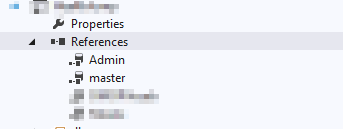
Managing "unresolved reference to object" errors in SSDT Database Projects

Image
Working with SSDT Database Projects can be a pain when you're working with other databases. After creating a recent multi-database solution with 4 Database Projects in it, I spent about a day trying to get rid of a bunch of errors that said something like "Procedure: [someproc] has an unresolved reference to object [someobject]" (there are also sometimes another set of errors which talk about ambiguity between objects, even when you've clearly properly aliased your objects. What follow are some tips for helping resolve some of these errors, because, as with many error messages with Microsoft data products, they can be super misleading. All the examples here are going to assume any databases you want to reference live on the same server. You can reference databases on different servers, but that's a bit weirder, and tbh I haven't found a use case for it yet. Just know, that functionality exists, but you'll have to figure that out on your own. This still m...

Script: Dropping Temporal Tables

Temporal tables are awesome. But they're kind of a pain to work with during those initial stages of development when you're constantly dropping and re-creating objects whole. The process of dropping a temporal table isn't super complicated, just: Disable versioning on the main table Drop the main table Drop the history table To that end, I wrote this stored procedure, marked as a system object (using sp_msmarksystemobject) which you can build which will do those three tasks for you automatically. Even if you don't choose to use the full script, you can still de-construct it for the logic. use master go set nocount on go /***************************** PROC: dbo.sp_droptemporaltable create table Util.dbo.Test ( ID int primary key clustered, StartDate datetime2 generated always as row start, EndDate datetime2 generated always as row end, period for system_time (StartDate, EndDate) ) with (system_versioning = on (history_table = dbo.Test_History)) exec Uti...

Temp Tables vs Table Varibles: The Great Debate

There seems to be a lot of confusion around the differences between  temp tables and table variables (in the classic sense; I'm not talking about in memory table types or anything here). Some people say you should only use table variables. Some people say you should only use temp tables. Most people caution a more nuanced approach. Here I want to cover what I think are the biggest issues in an attempt to shed some light on this surprisingly tricky topic. Statistics This is usually the most important factor when considering which one to use. It boils down to two facts, and everything else flows from these: Temp Tables maintain statistics, Table Variables do not. Table Variables Because table variables maintain no statistics, the Query Optimizer always assumes the contain exactly one row. As a result, any joins against a table variable, unless explicitly told to behave otherwise will (probably) always be a nested loop join. As long as the number of rows in the table varia...

JOINs Using Playing Cards

Image
A few co-workers asked me to explain some of the nuances of different join types (outer joins in particular). I've always reached for Venn diagrams in the past, but I was trying to think of a better way to get the information across. Whether or not I succeeded, I'll let you be the judge. I'm not going to do much in the way of explaining each of the diagrams, but I will label each diagram. I also included a diagram at the end of a common trick for inserting only rows which don't already exist in the target table (using a left outer join, and checking where the right values are null). Please feel free to use this code and the diagrams if you think they're useful. If you do, it would be nice to credit me with them, but I'm hardly going to get mad if you don't. I'd much rather there just be good training materials out there. The Code if object_id('tempdb.dbo.#Cards') is not null drop table #Cards create table #Cards ( NumericValue tinyint n...

Why QUOTENAME Works

One of the core ways of making dynamic sql safe is the use of the QUOTENAME() function. QUOTENAME wraps either square brackets (default), double quotes, or single quotes around a provided string. This is crucial for dynamic SQL because if, for example, you need to concatenate a column name, the only way to make it 100% safe is to wrap it in square brackets so it's treated as an identifier. Conceptually the same as doing this: select [Not A Valid Column] = @@version Background Naively you might think then, that if you had a dynamic sql string like this, you would be safe, since you're wrapping brackets around the identifier declare @ColumnName nvarchar(128) = ''' union all select ''injected code'';--' declare @SQL nvarchar(max) = 'select [' + @ColumnName + '] from sys.columns' select @sql exec (@SQL) /* -- dsql string select [' union all select 'injected code';--] from sys.columns */ And in this example, you ...

Yin and Yang of Data Compression

Image
I plan to write about data compression more in the future but for now I just wanted to share a quick diagram I drew up for a colleague. Any time you're considering data compression on a table, two primary factors come into play. How much will it save you in disk space vs how much I/O will  Y axis: Space Saved X axis: I/O On the Y axis, we have the space savings. You might have a table that's 10GB and but after compressing it, its 1GB. You might have another table that's 1TB and compressed it's 700GB. Clearly the first shrinks by a larger percent, but the second saves much more space. On the X axis, we have table IO. Compressed data has to be decompressed when it's read or modified, and it's all done by the CPU. So the more I/O going on in a compressed table, the more pressure it will put on your CPU. So how can we understand the diagram, strictly from the standpoint of these two opposing forces? Tables in the green area you shou...